Changing the Layout
The main screen of XMM is composed by Panels.
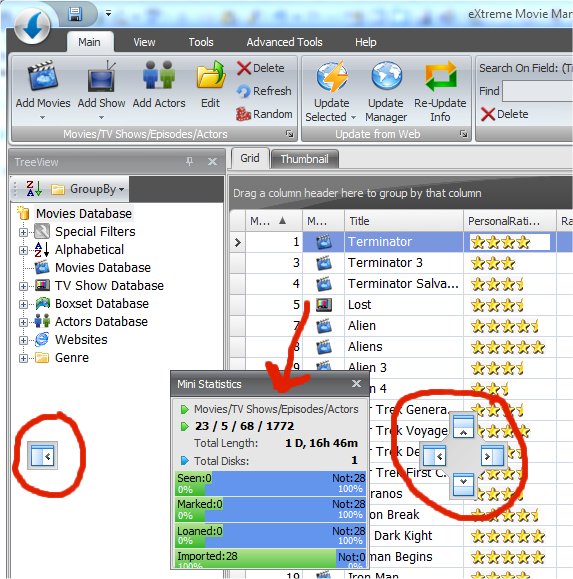
Each panel can be moved around by just click and hold the Panel Title bar:
You can dock the panel where you want, or let it "free". To dock in a fixed position just move it over the Icons you see in the picture.
You can create several different layouts and
save it to restore later.
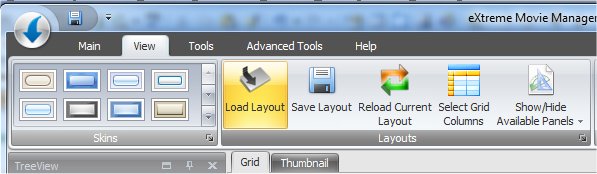
Just click on the Save Layout button to save the
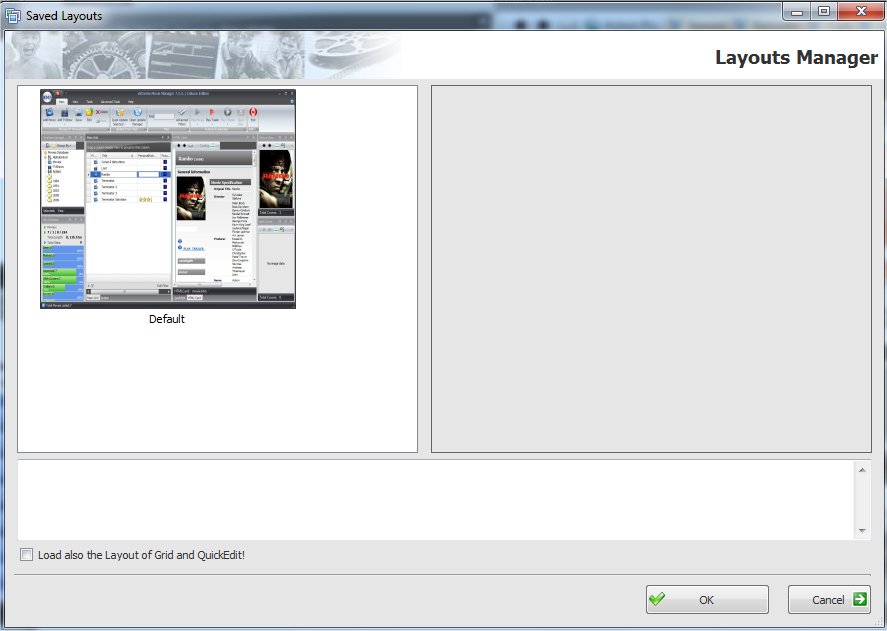
current configuration and press the Load Layout to restore it later from this
window: