Adding Ripped DVD on Hard Disks
If you have a collection of Ripped DVD you can easily add it to Database.
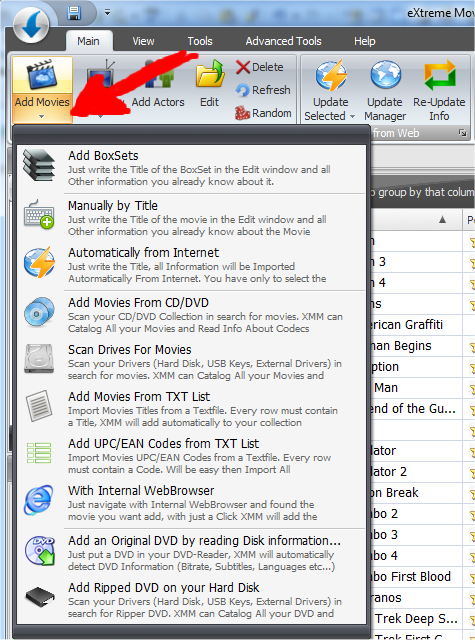
From the Add Movie menu click on "Add Ripped DVD On your Hard Disk":
Ripped DVD are organized in Folders. Each Movie has own folder with VOB and IFO files inside.
XMM can extract the name of the movie from the Folder and all other information from IFO File (like Codec, subtitles, languages etc...)
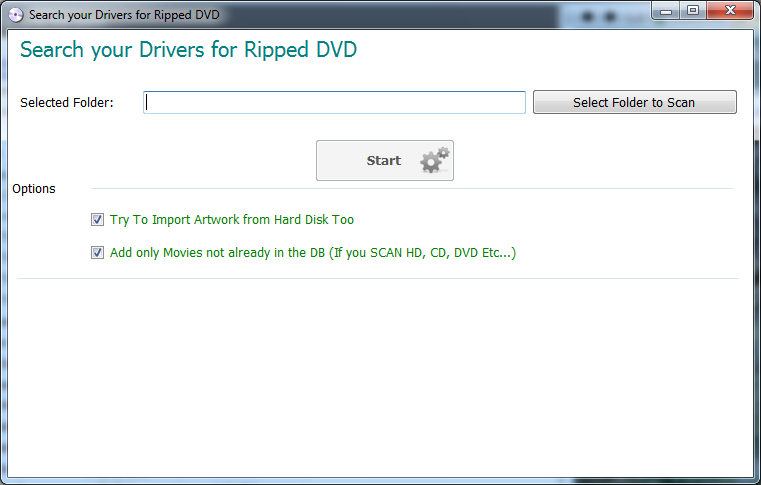
The function is easy to use, you have only to select the root folder where your Ripped DVD are stored and press Start.
XMM Can try to import also Pictures is you have, just check the "Try To Import Artwork from Hard Disk too"