Add Movies Manually
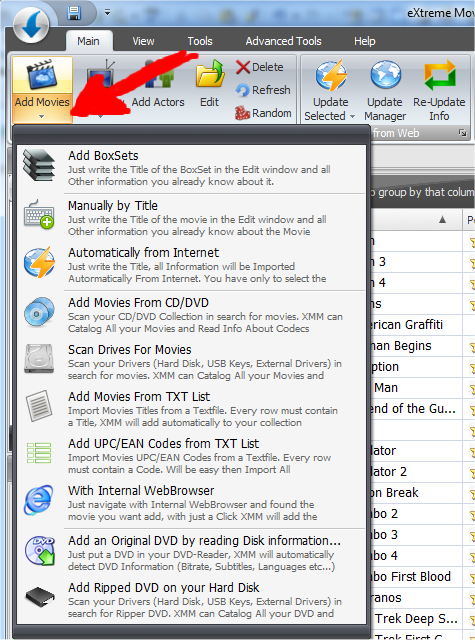
To add a new movie Manually (by tiping every information) just click on the Add Movie Submenu and select "Manually by Title":
Now just write all movie information in the textboxses and Press Save & Exit button:

If the Movie is stored somewhere in your Hard
Disks, USB or NAS, you can link it and import all information about codecs by
clicking on "Read Files" button.
Same thing for the Covers, just click on "Add PIctures" button if you have some
good pictures somewhere.
If you then want update all information from internet without typing it click on "Update from Web". This will be explained better in another section of the help.